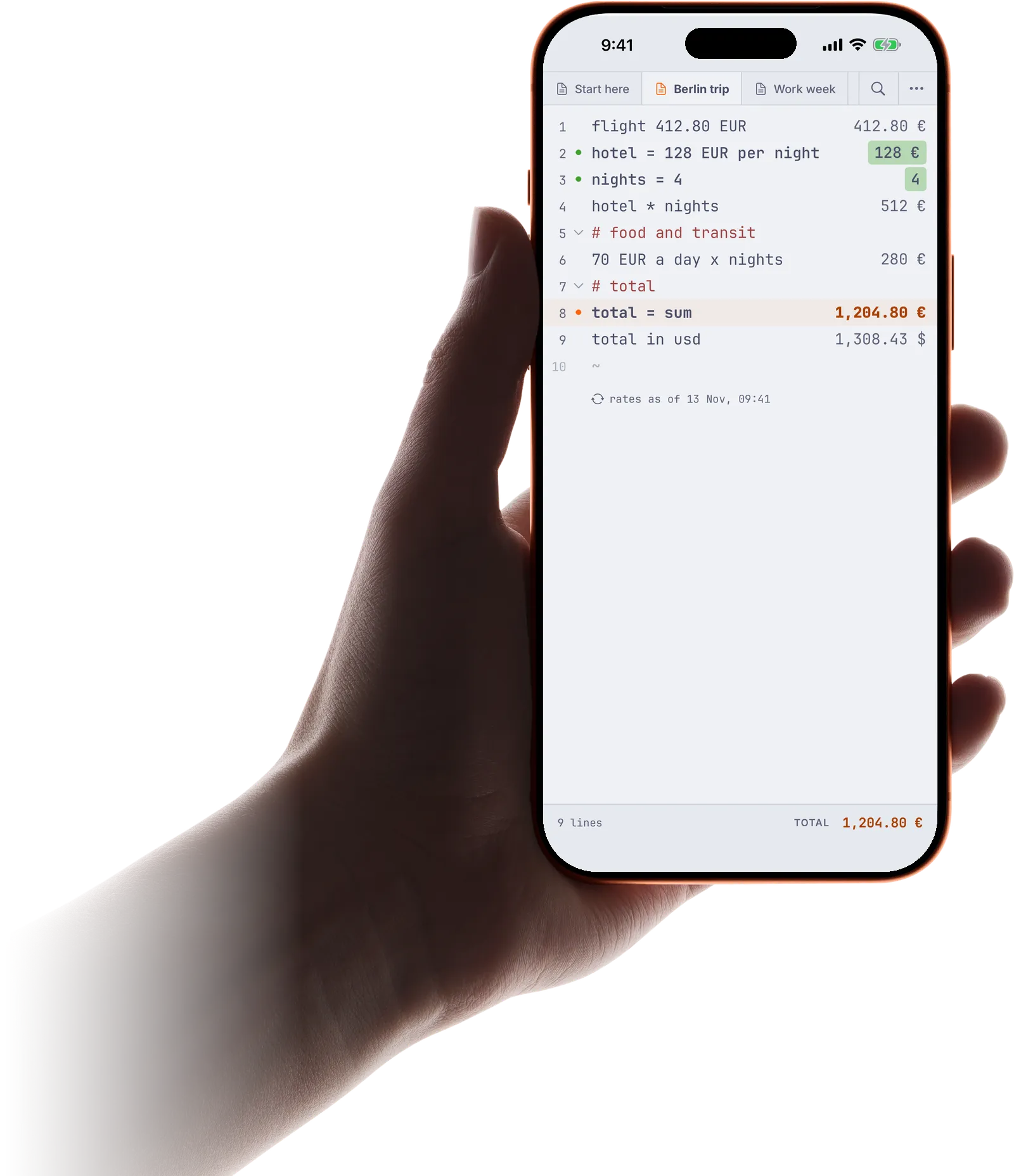
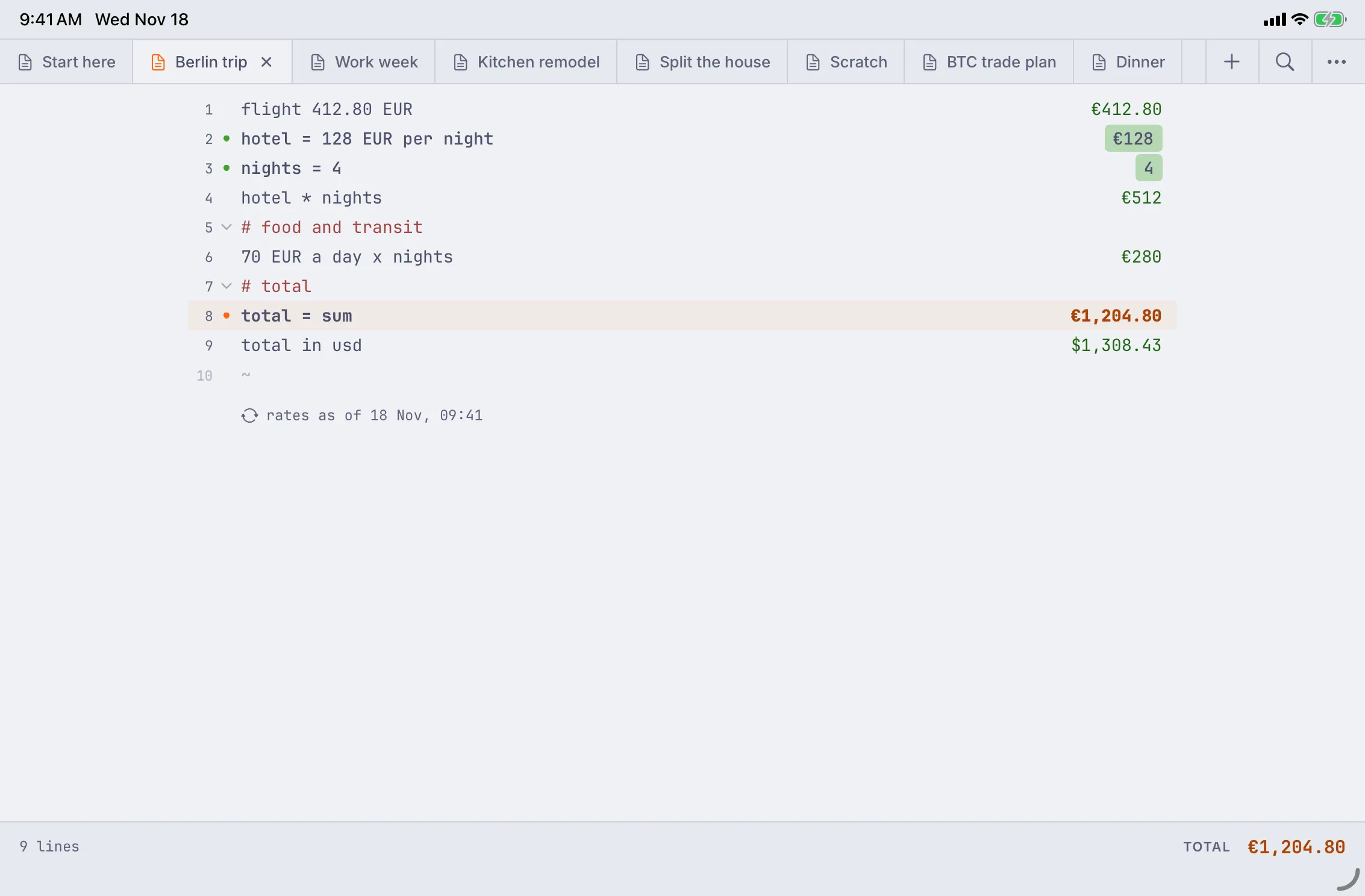
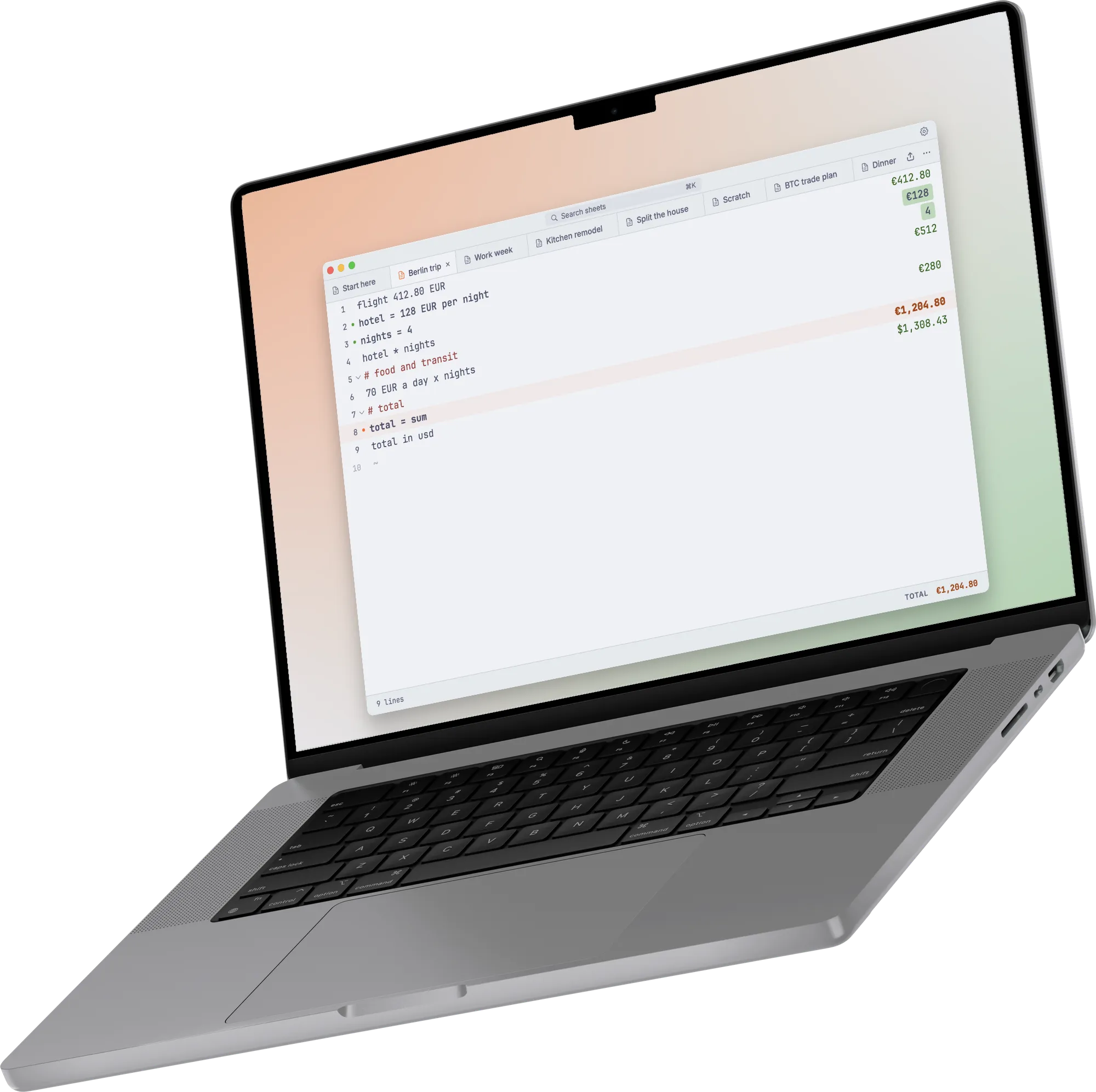
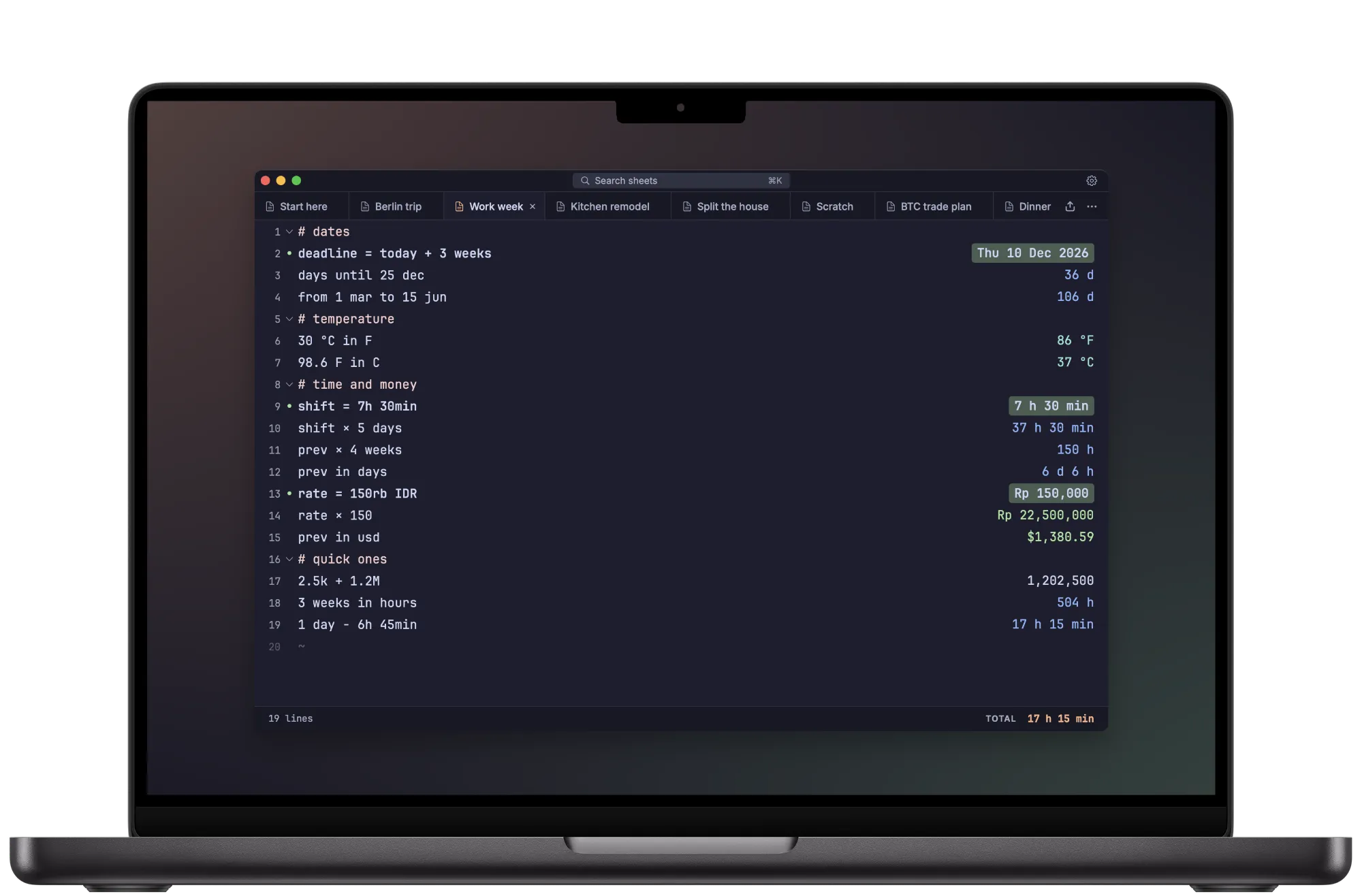
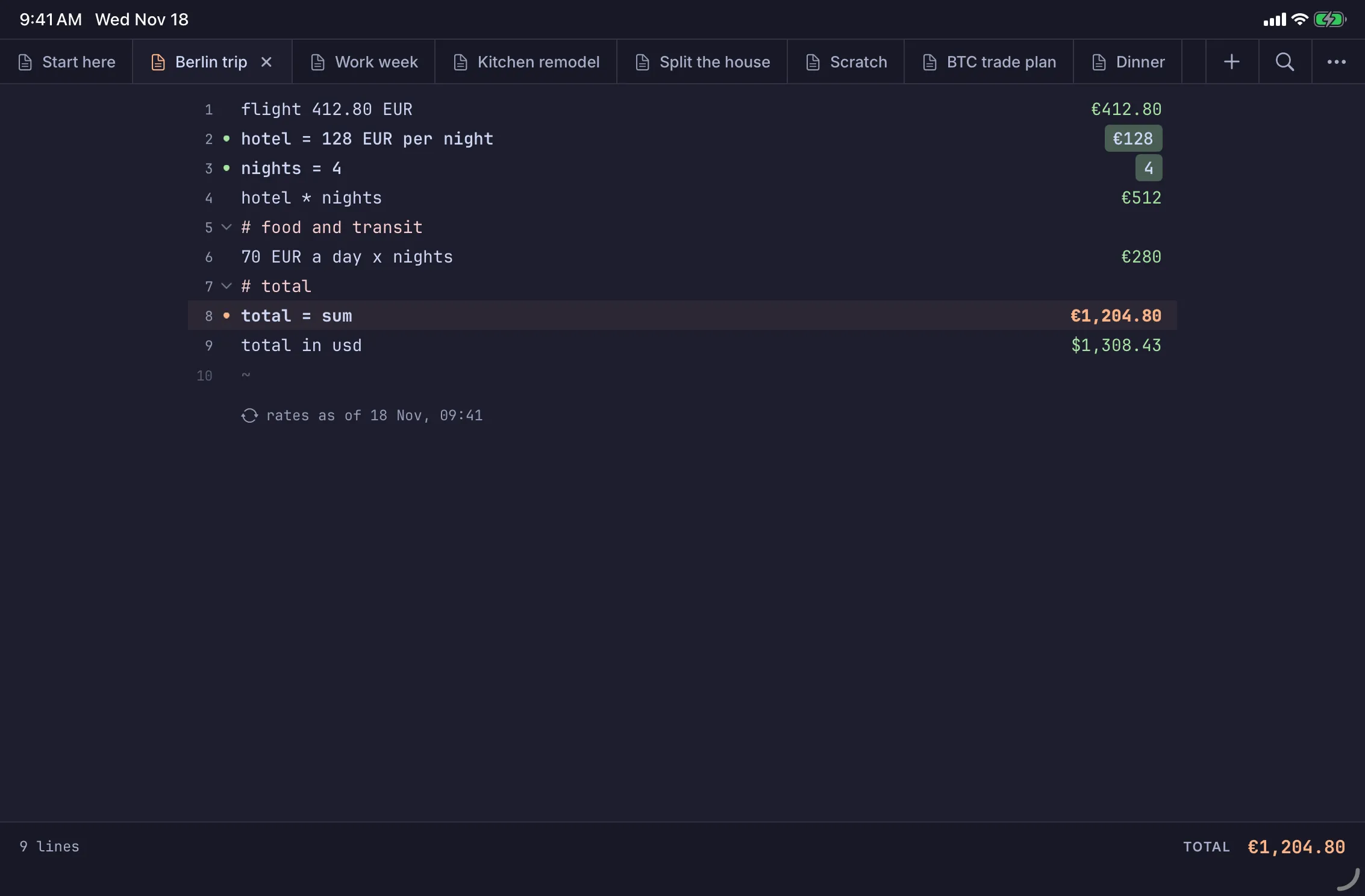
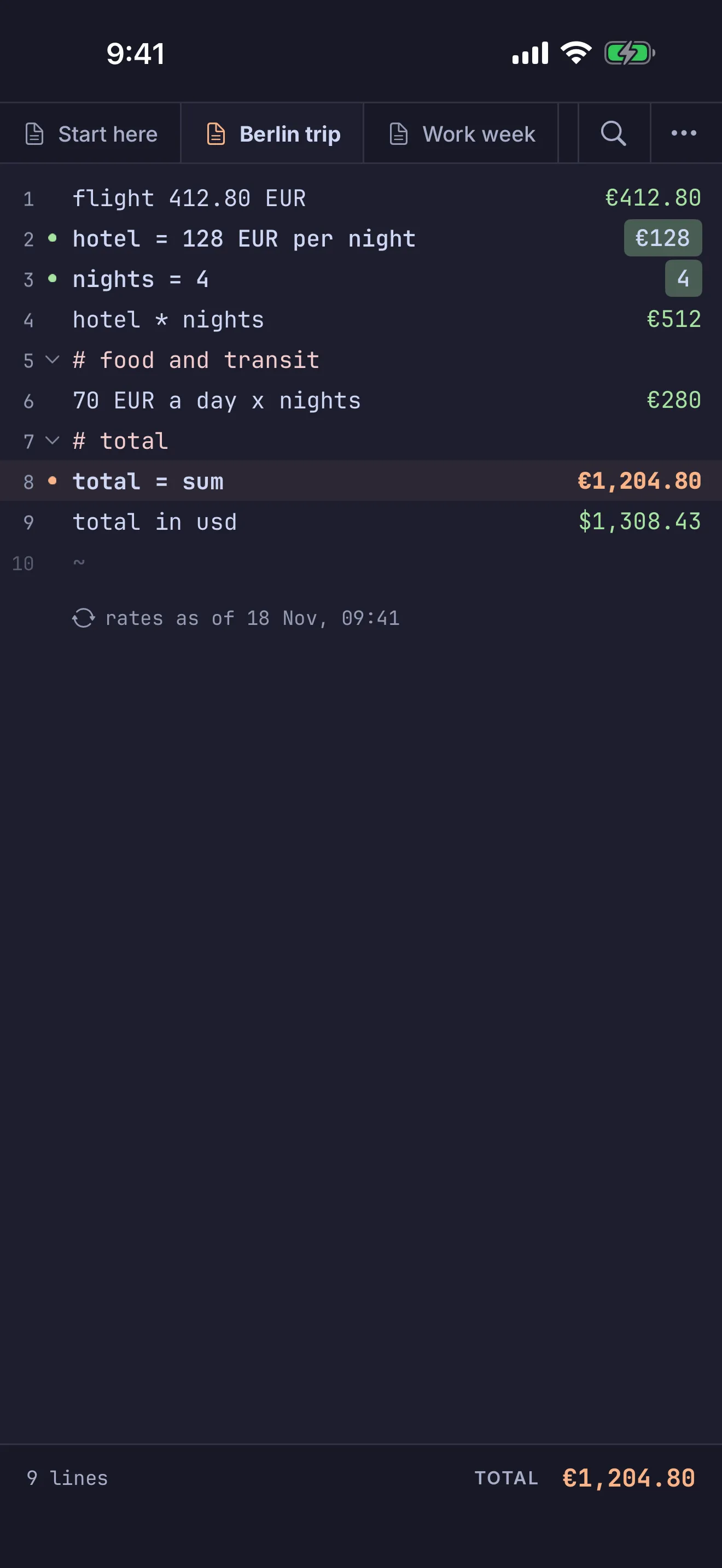
Type “rent = 2 450 EUR” on one line and “rent / 4” on the next. Every line shows its answer on the right, and when one number changes, everything below follows.
Name a value, use it on any line below
“prev” and “sum” pick up the lines above
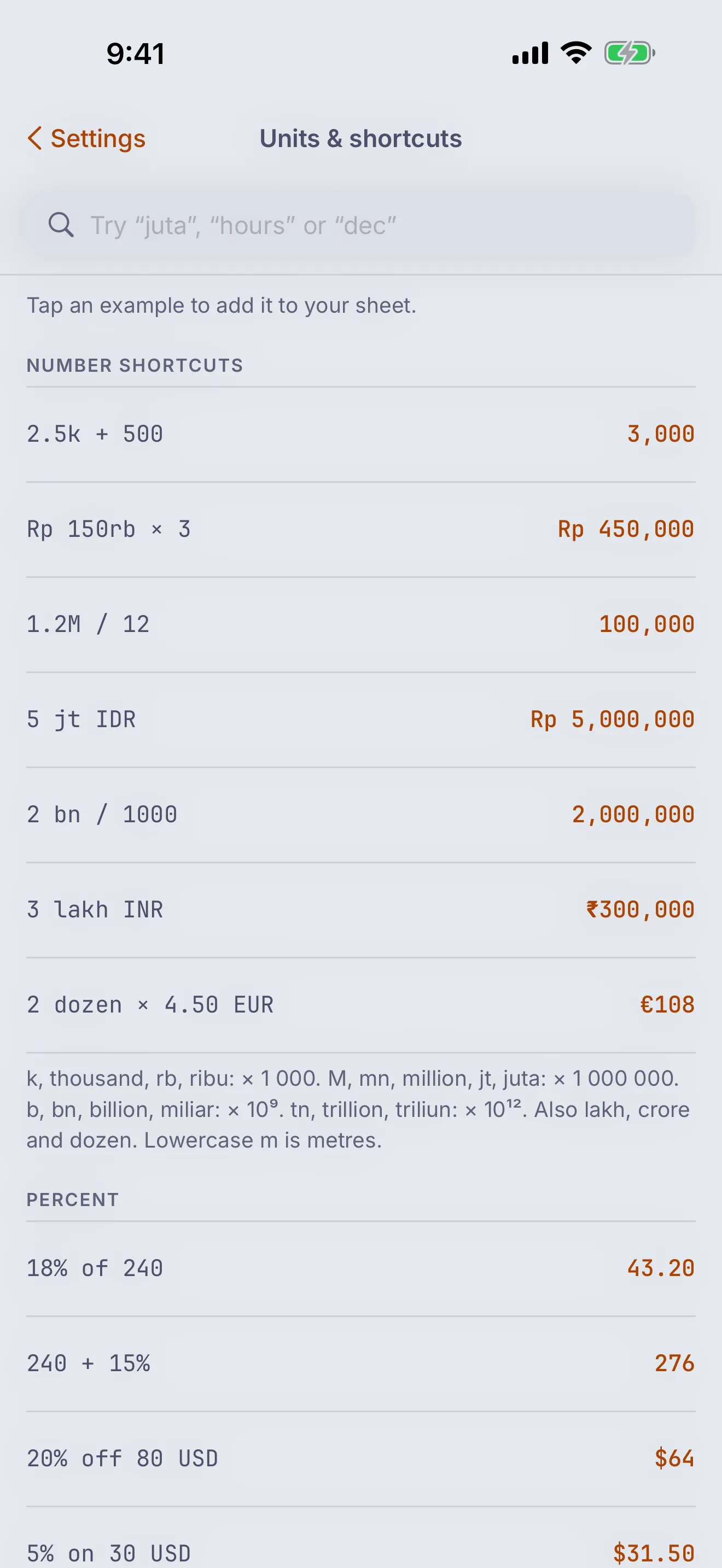
2.5k, 1.2M and 3bn, or rb, jt and miliar
Lines of plain words are just notes
9:41
1coffee = $4.50 $4.50
2month = coffee × 22 $99
3tip = month × 15% $14.85
4total = month + tip in eur €104.83
5~
offline rates
4 linesTotal€104.83
Convert
Every currency. Every unit.
About 160 currencies and 20 cryptocurrencies, with free live rates that fall back to built-in ones when you’re offline. Units, time zones and dates work the same way.
Live exchange rates, on the free plan too
Weight, length, volume, area, speed, data and energy
“2:30 pm HKT in Berlin”
“days until 25 dec”
Split
Split the bill with anyone.
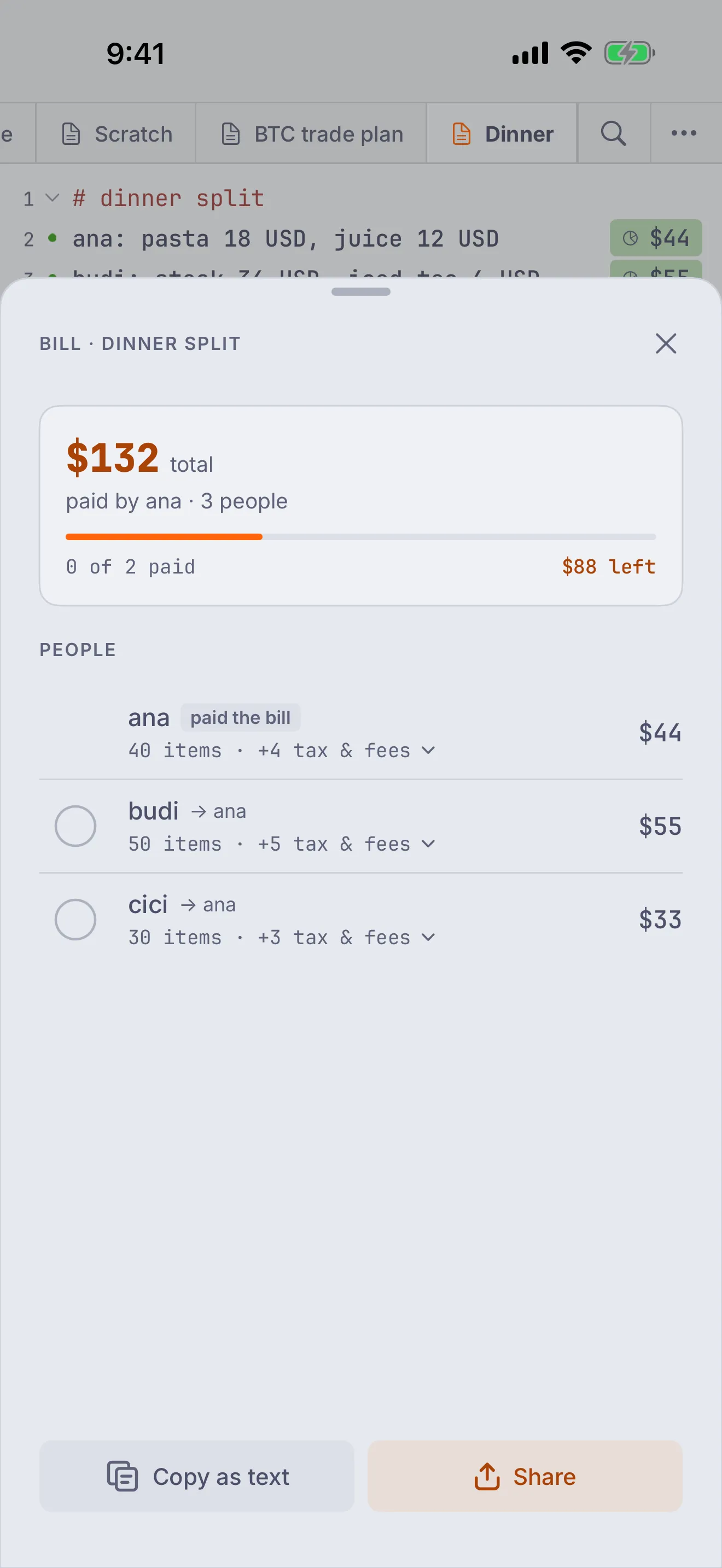
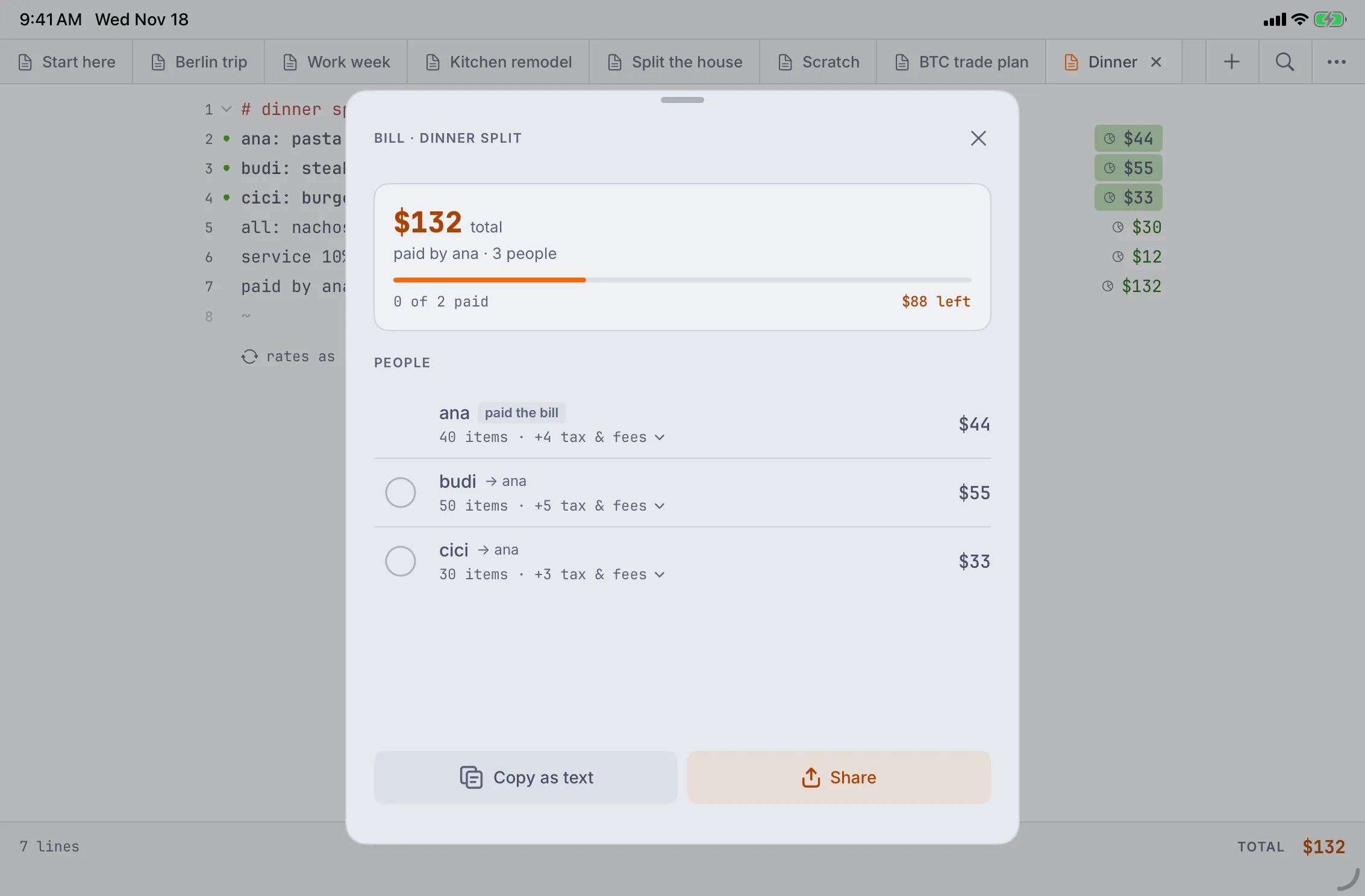
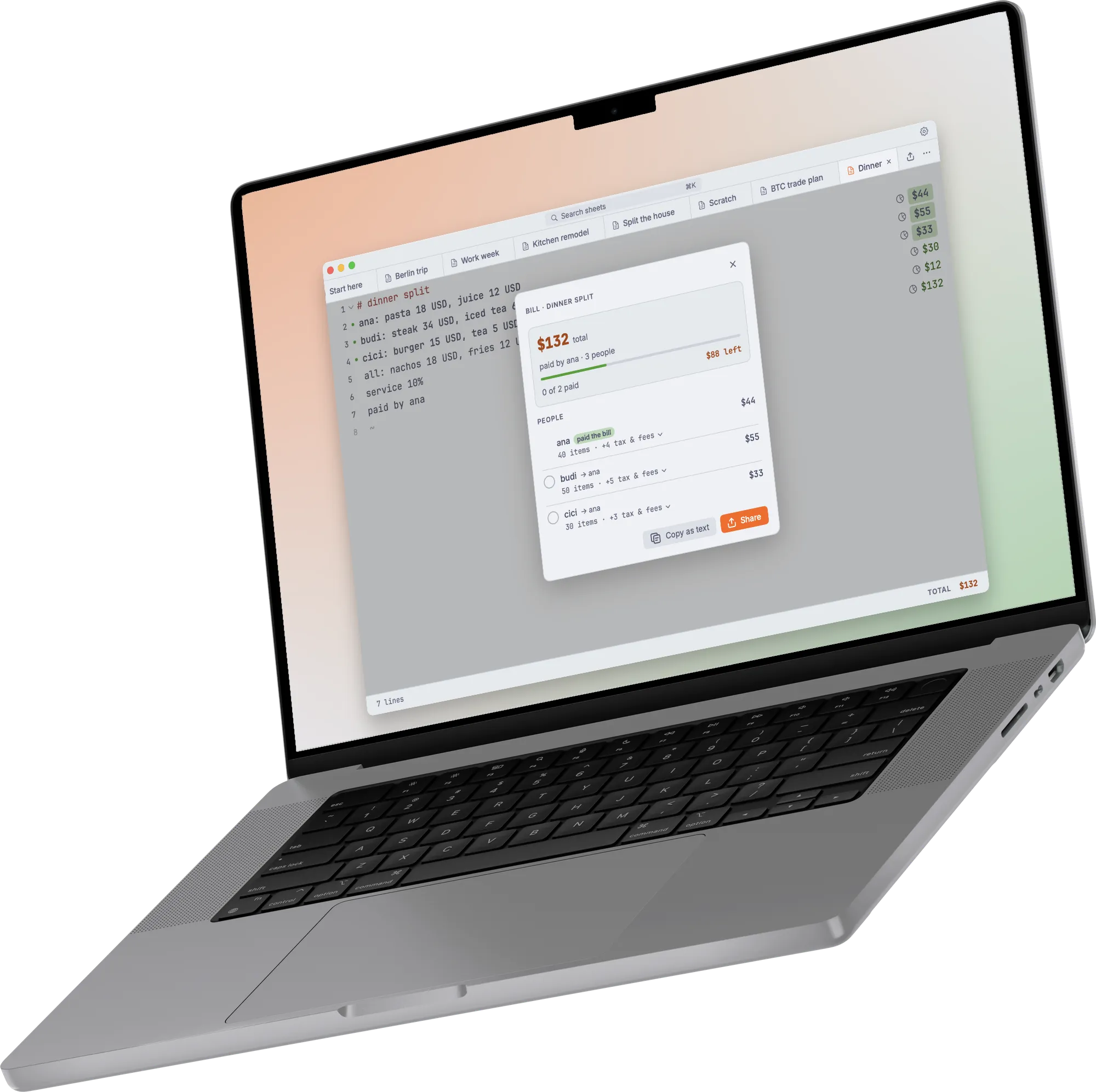
Write what each person had, the shared plates, tax and service, and who paid. Sumi works out who owes what, and a tap on any answer opens the bill to tick off who has paid.
Names, and who has already paid
Tax and service shared out fairly
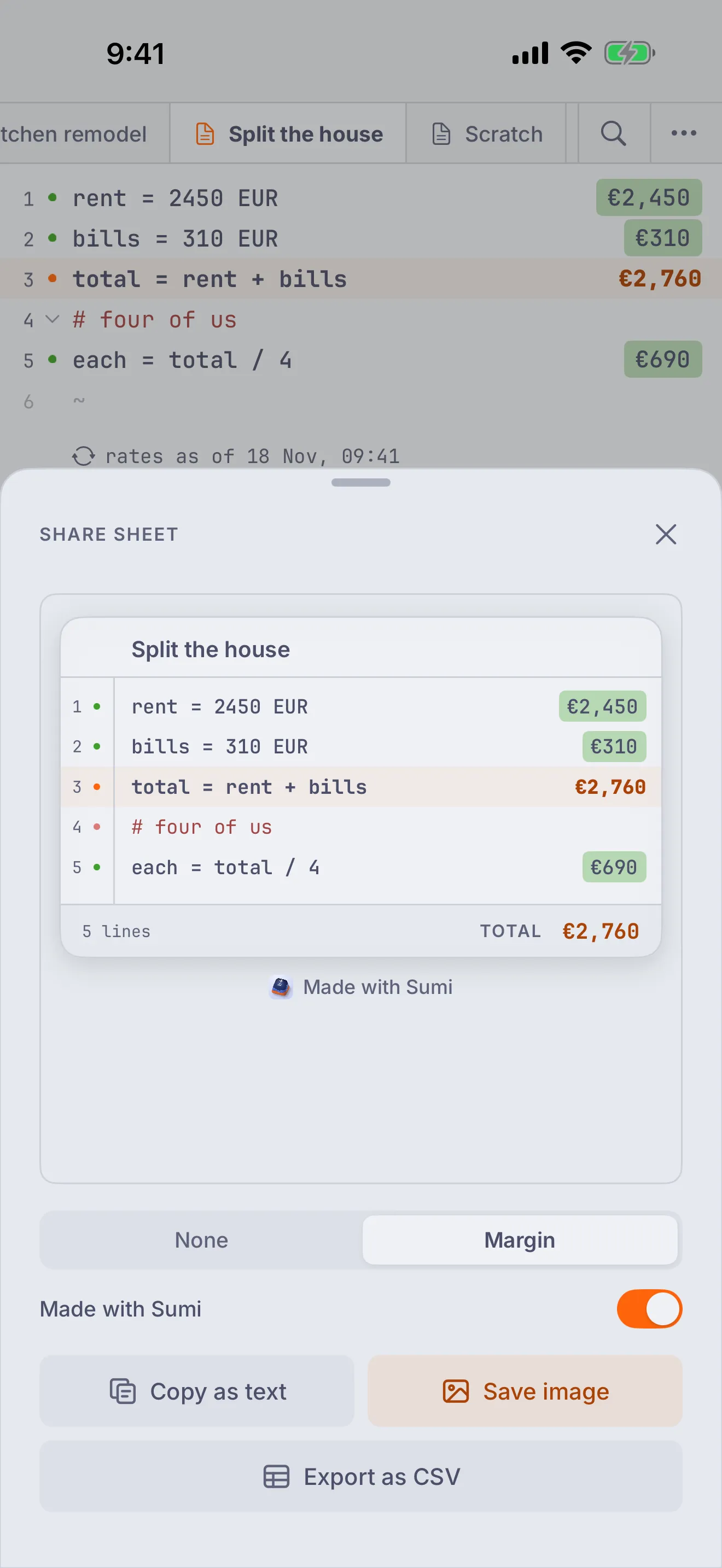
Share the bill as an image (Pro)
Organize
Every sheet, one tap away.
Keep a sheet for each trip, budget or project. Search finds any line in any sheet, a # line starts a section you can fold out of the way, and pins keep your favourites up front.
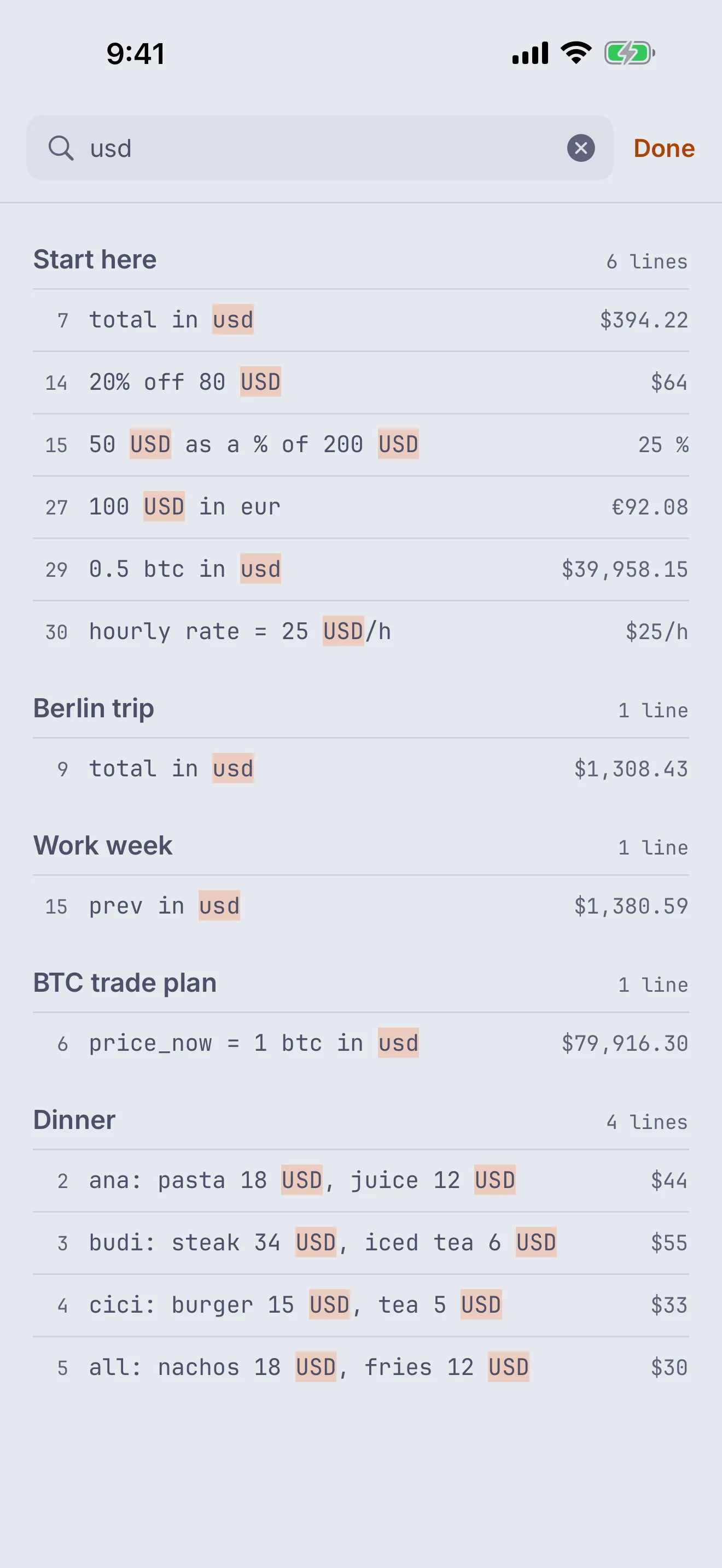
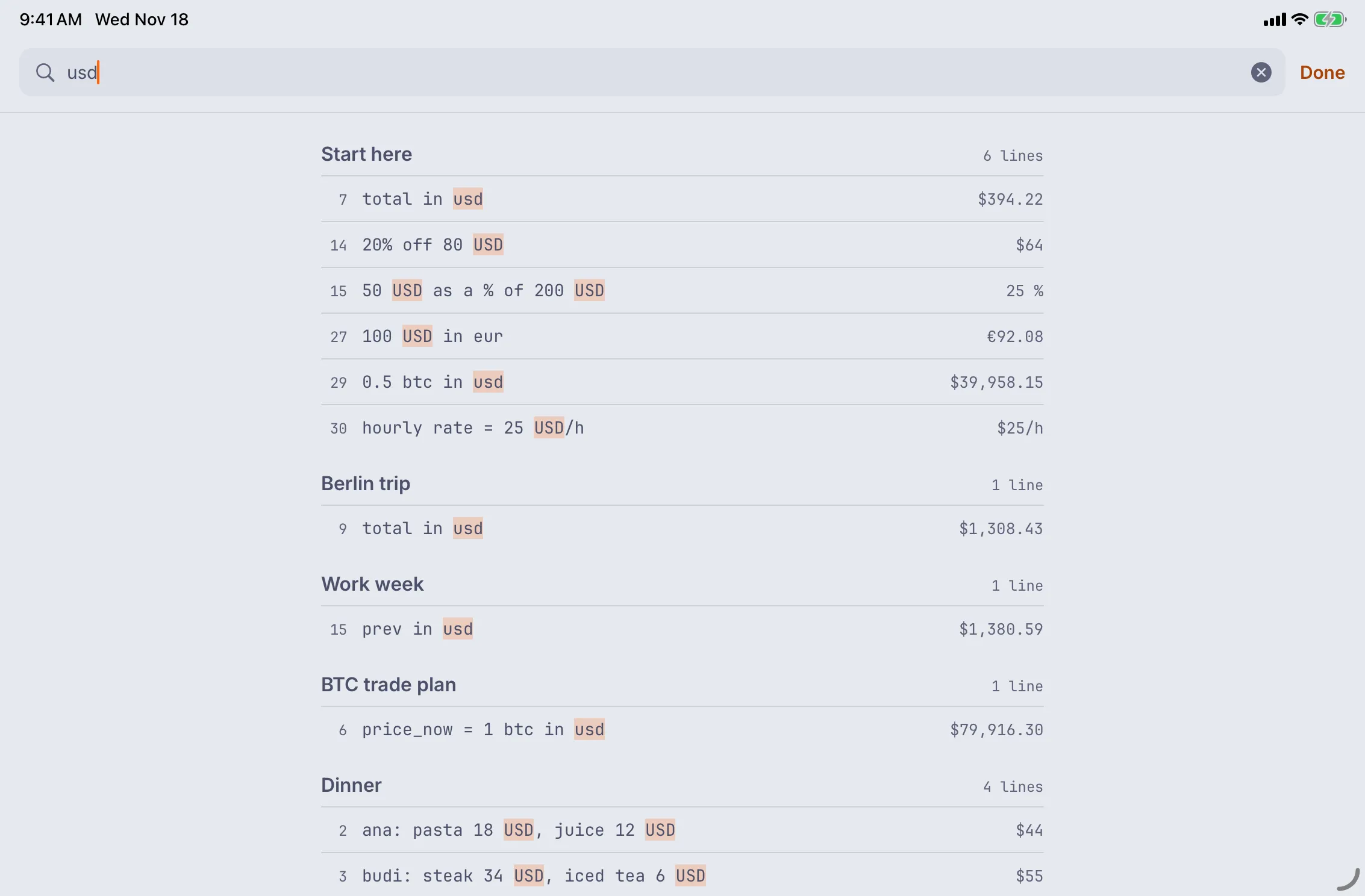
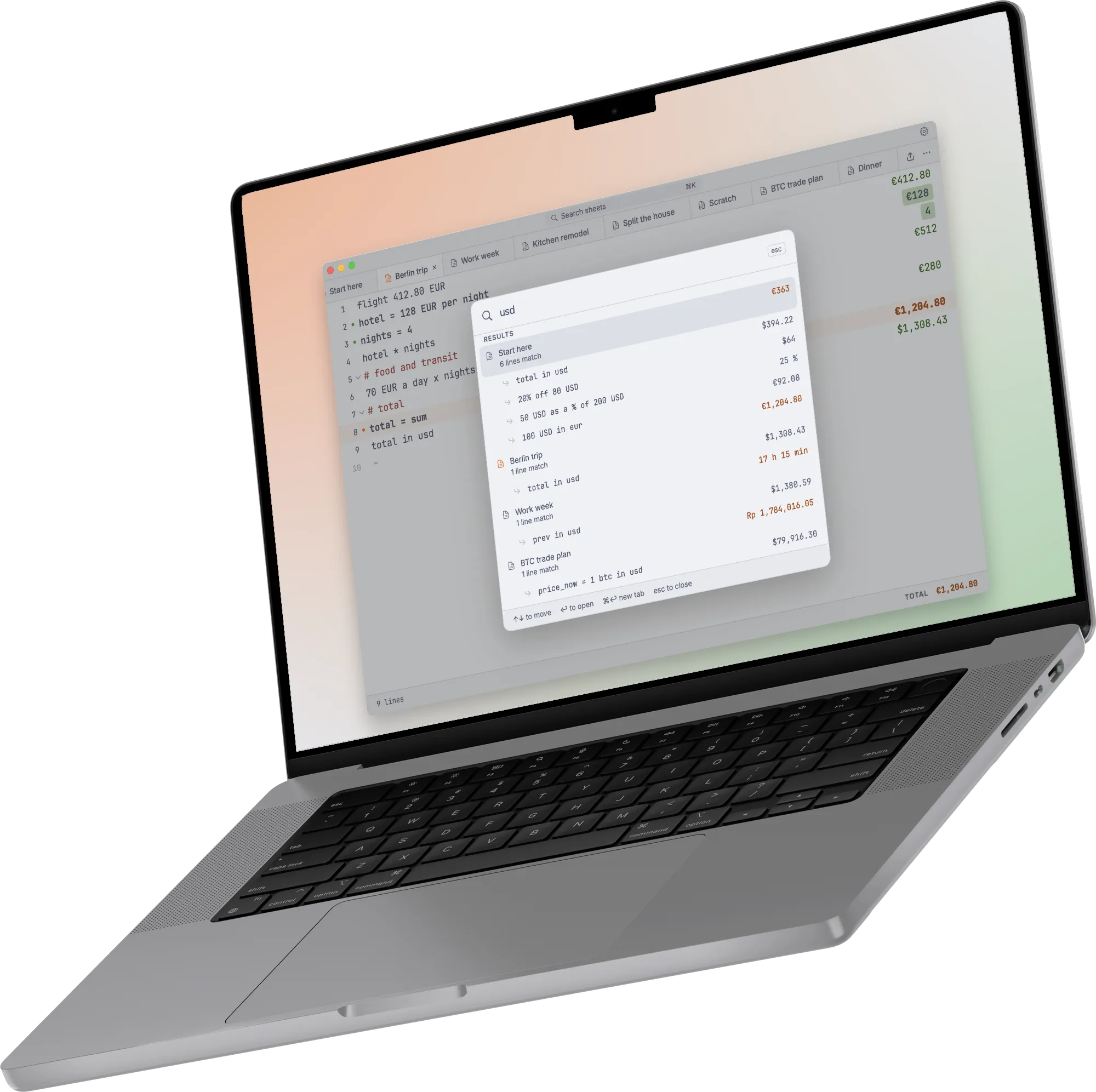
Search every line of every sheet
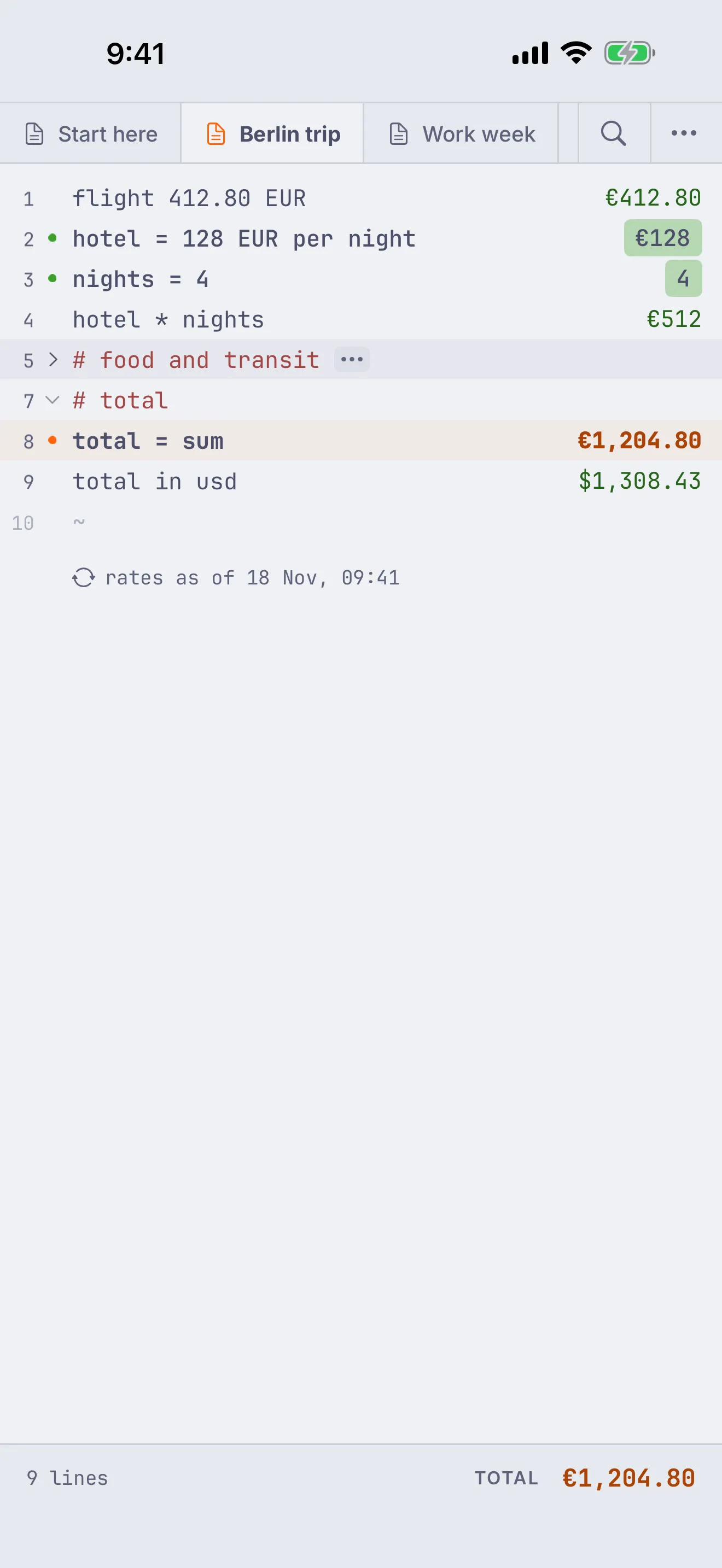
Fold sections into one line
Pin the sheets you use most
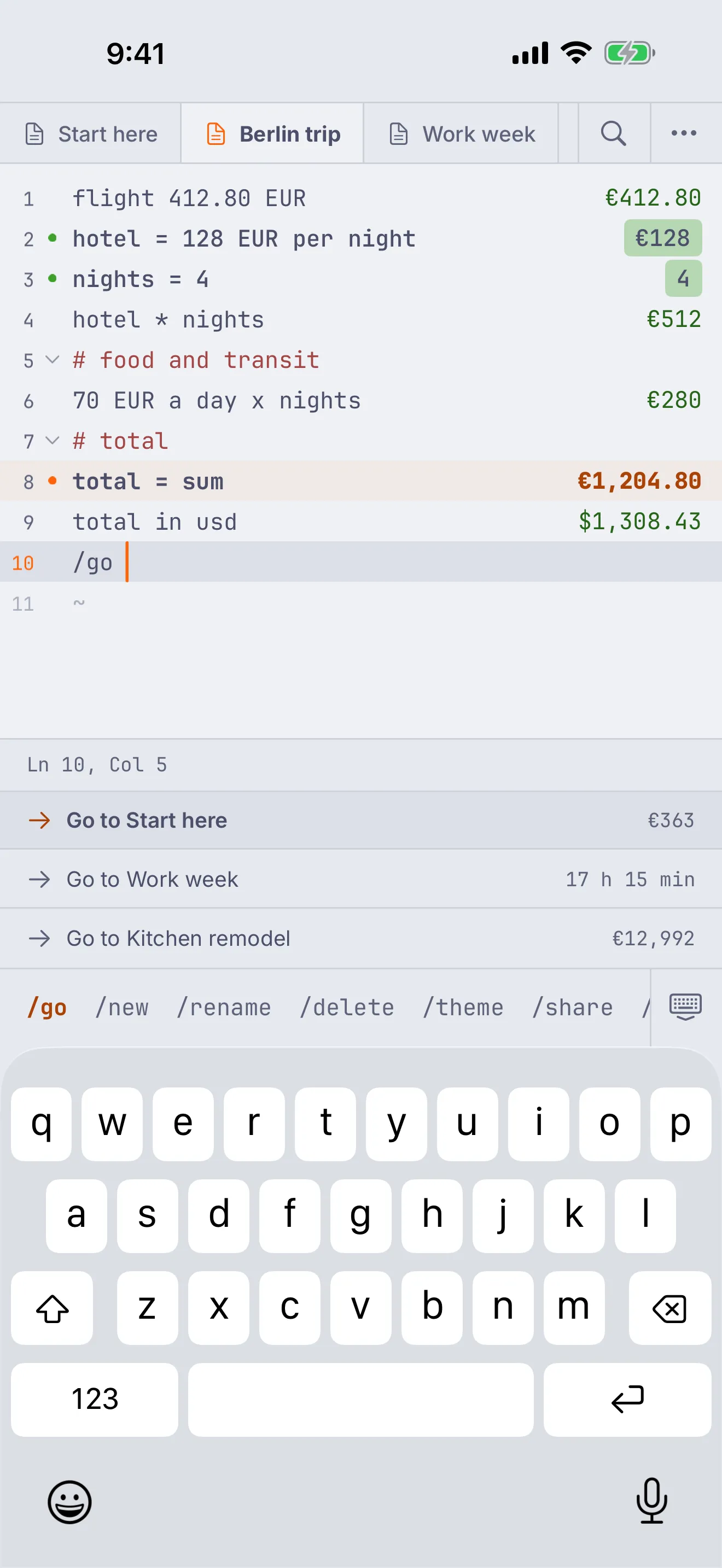
Type / for quick commands
Every picture is the real app on iPhone, iPad and Mac, in the Latte theme.
Around the app
The little things add up.
A real session
A Lisbon trip budget, converted to dollars and split three ways.
Quick commands
Type / to jump, rename, theme or share.
Fold sections
Fold a # section into one line, like a code editor.
Share as an image
Tidy text or a picture of the sheet (Pro).
Six themes
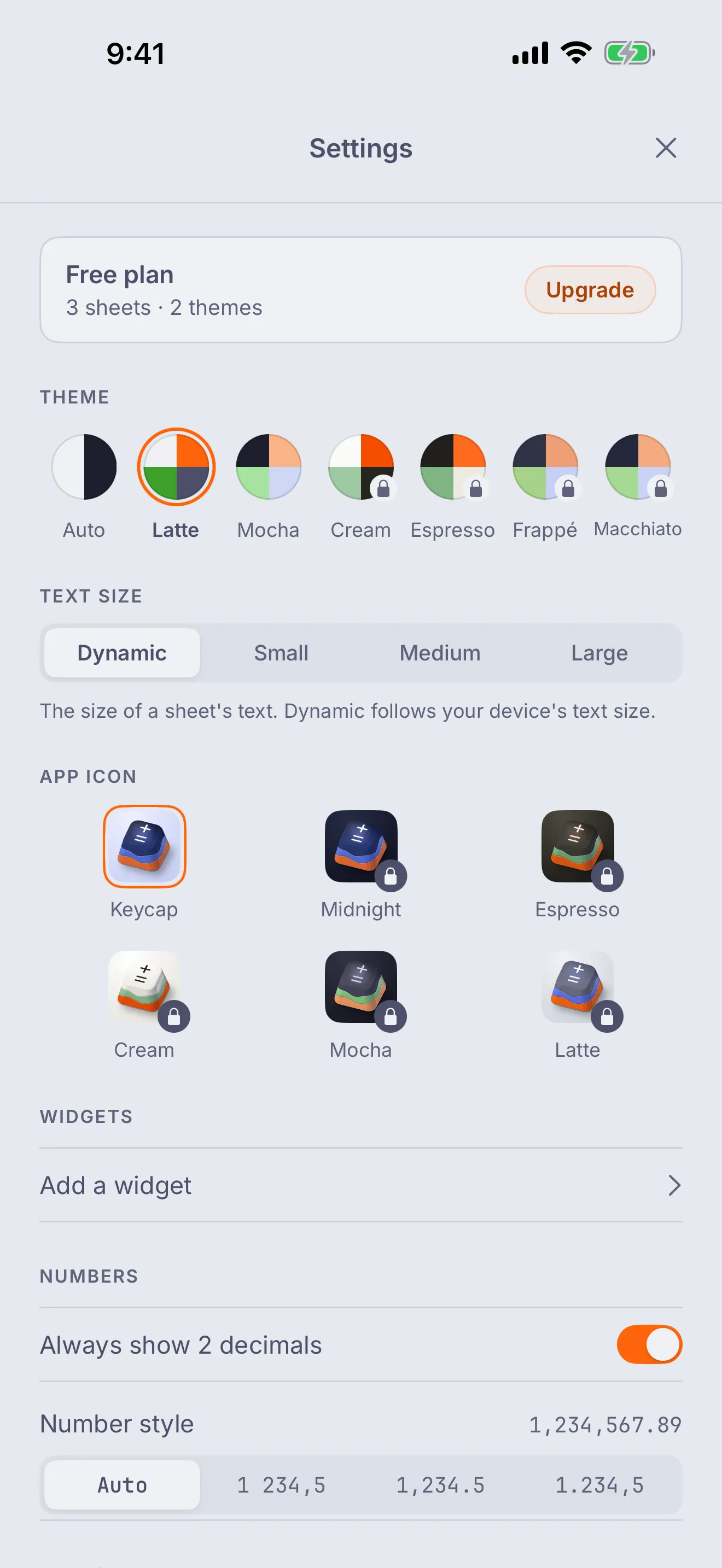
Latte and Mocha free, four more with Pro.
Designed to be together
Your iPhone, iPad and Mac, on the same page.
The same sheets everywhere, with the same engine, the same answers and the same shortcuts.
Your settings stay on each device.
Your iCloudWith Pro, sheets sync through your own iCloud and nowhere else.
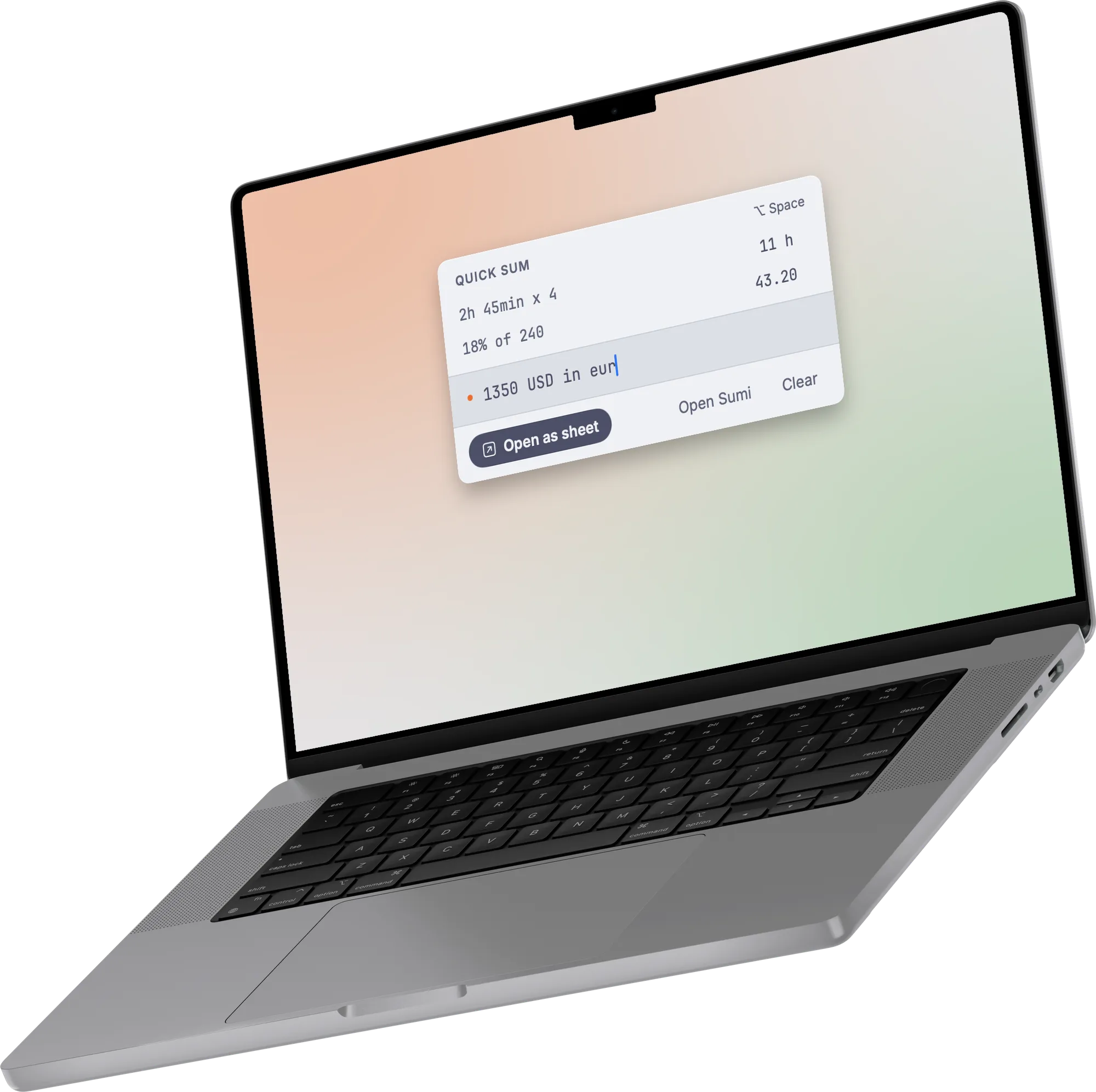
Quick sum⌥ Space on the Mac opens a calculator over any app.
Made for keyboards⌘T for a tab, ⌘K to search every sheet, ⌘1 to ⌘9 to switch.
WidgetsA sheet’s total on the Home Screen and the Lock Screen.
Privacy and price
No account
Open the app and start. There’s nothing to sign up for.
Your iCloud
Sync goes through your own iCloud. Your sheets never come to us.
Works offline
Built-in exchange rates take over when there’s no connection.
No ads, no tracking
No analytics or ad SDKs. What you write is never collected.
No subscription
Pay once. Keep it forever.
Free with 3 sheets. Sumi Pro is $7.99 once, with a 7-day free trial and
Family Sharing. Nothing to cancel.
Reviews
From the App Store.
Mantapss!
“very useful for my daily use when I need notes that also do my iterative calculation. no more back and forth between apps! as this already has built-in currency, so practical!”
Hi, I’m Sigit. For trip budgets and splitting bills with housemates I kept doing the same
thing: write it in Notes, switch to Calculator, copy the number back, then redo it all when
one price changed. Spreadsheets felt too heavy for that, so I made Sumi.
I read every email. If something doesn’t add up, or you’d use Sumi for something I haven’t
thought of, tell me.
Sumi is a notepad calculator for iPhone, iPad and Mac. Each line you write is calculated and the answer shows beside it. Name a value, like rent = 2450 EUR, use it on later lines, and change one number to update the rest. It is also a currency converter and unit converter: write 100 USD in EUR or 5 km in miles.
How is Sumi different from Soulver or Numi?
Like Soulver and Numi, Sumi is a notepad calculator: you write plain lines and each one shows its answer. Sumi is made for iPhone first and works offline, with about 160 currencies and 20 cryptocurrencies, a bill splitter that tracks who has paid, and Home Screen and Lock Screen widgets. Sumi Pro is a single $7.99 purchase in the US, with no subscription.
Does Sumi work offline?
Yes. Every calculation runs on your device. Currency conversion uses live exchange rates when you are online, for free, and built-in rates when there is no connection.
Which currencies and units does it know?
About 160 world currencies, including USD, EUR, GBP, JPY, IDR, SGD, INR and AUD, and about 20 cryptocurrencies such as Bitcoin and Ether, plus weight, length, volume, area, speed, angles, temperature, data and energy. It also handles time and dates, like 7h 30min × 5 or days until 25 dec, time zones, like 2:30 pm HKT in Berlin, math like sqrt 16, 2 ^ 10 or 255 in hex, and Indonesian amounts like 150rb and 2jt.
Can Sumi split a bill?
Yes. Write the bill as lines: one per person with what they had, like ana: nasi goreng 35rb, one for dishes everyone shared, like all: kerupuk 12rb, then service, tax, any discount and who paid. Sumi works out each person's share. Tap an answer in the bill to see everyone's breakdown and tick off who has paid. Sharing the bill as text is free; sharing it as an image is part of Sumi Pro.
How much does Sumi cost?
Sumi is free with up to 3 sheets, live exchange rates, two themes (Latte and Mocha, or Auto), every text size and every widget, in every size. Sumi Pro is a one-time purchase of $7.99 in the US, with a 7-day free trial and Family Sharing. It adds unlimited sheets, iCloud sync between your iPhone, iPad and Mac, four more themes (Cream, Espresso, Frappé and Macchiato), pinning, sharing sheets as images and alternate app icons. One purchase works on all of them. There is no subscription.
Is my data private?
Your sheets are stored on your device. If you turn on iCloud sync (Sumi Pro, off by default), they also go to your own private iCloud account, which we cannot read. Sumi has no account, no ads and no analytics, and nothing you write is sent to us.
Which devices does Sumi run on?
iPhone with iOS 17 or later, iPad with iPadOS 17 or later, and Mac with macOS 15 or later. It is a free download on the App Store, and Sumi Pro bought on one works on the others.